Help Center Redesign

Role
Lead Designer and Front-end Developer
TEAM
3 (1 Designer , 2 Content Writers)
SOFTWARE
Figma, Madcap Flare
Overview

The AMCS Help Center is an internal platform designed specifically for employees, support specialists, and internal teams to navigate the complex software ecosystem of the AMCS platform.


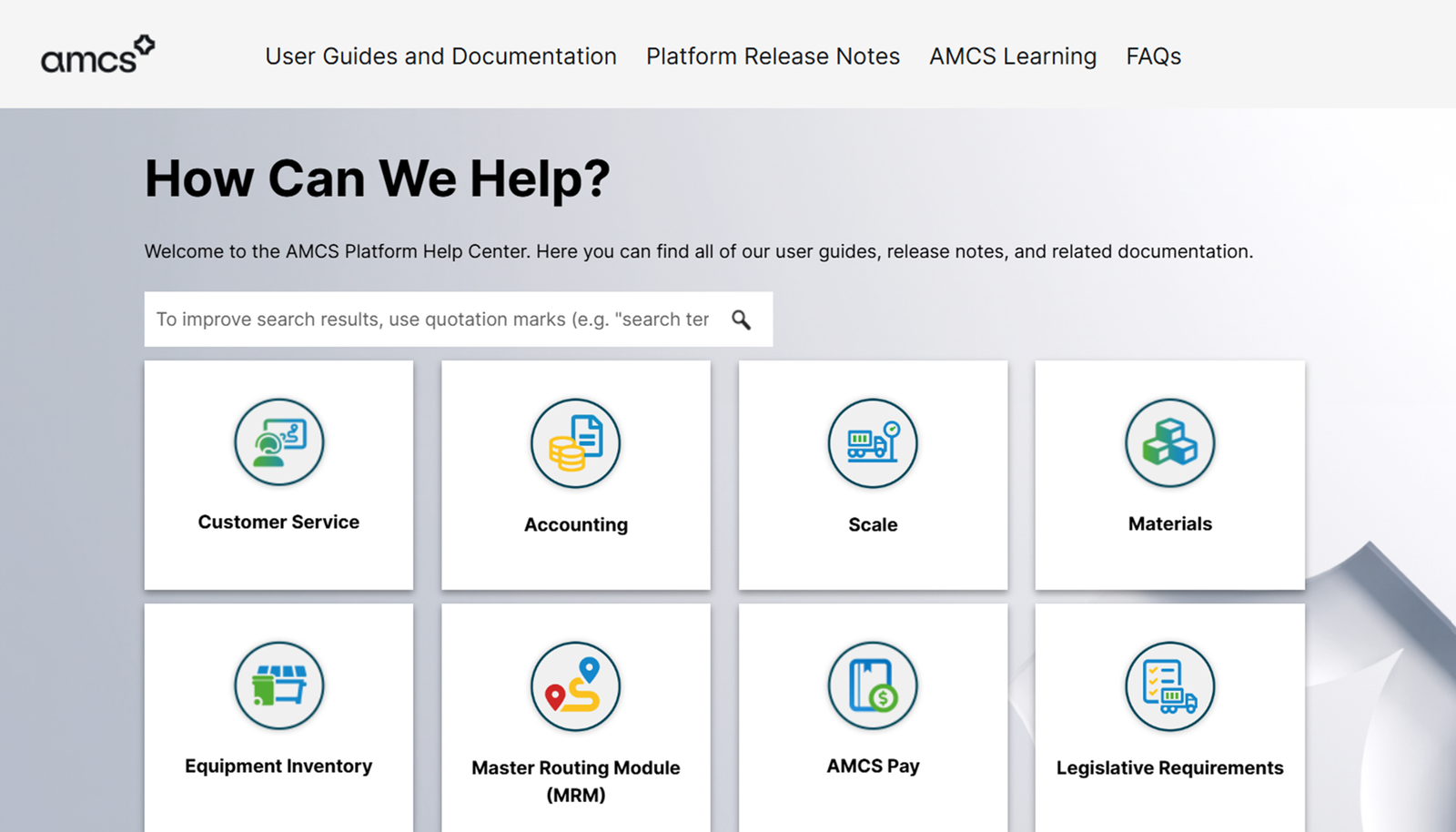
The goal of this redesign was to revamp the whole helpcenter into an intuitive, high-efficiency hub that simplifies access to technical documentation across core enterprise modules—such as Customer Service, Accounting, Scale, Materials, Equipment Inventory, Master Routing Module (MRM), AMCS Pay, and Legislative Requirements. By organizing internal user guides, release notes, training resources (AMCS Learning), and FAQs into a clean interface, the design empowers employees to quickly locate internal knowledge and resolve operational inquiries faster.

Problem
  • Navigating Complex Enterprise Modules: Internal staff frequently need fast access to highly specific technical documentation across vastly different product areas (logistics, compliance, billing, inventory), making content structure critical to daily productivity.
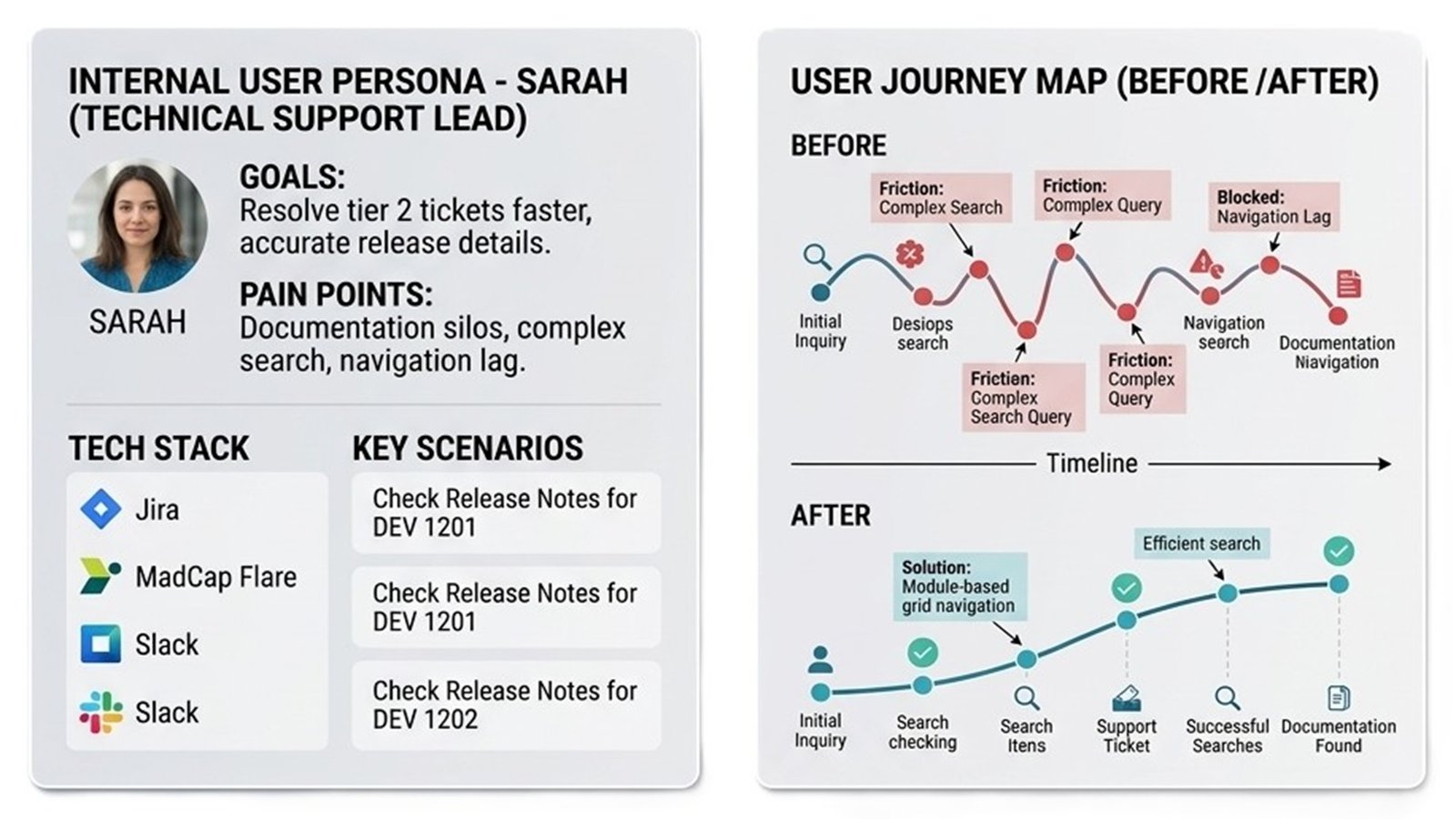
  • Inefficient Internal Search: Staff members struggled with vague search results, requiring explicit query guidelines (such as exact quotation matching) to surface niche technical documentation efficiently.
  • High Cognitive Load for Internal Support: Onboarding new employees and enabling support agents was slowed down by fragmented resources, leading to higher internal reliance on peer assistance rather than self-serve documentation.
  • Visual Disconnect Between Tool sets: Without distinct visual anchors or standard icons, internal users spent unnecessary time scanning text to distinguish between different software modules.
Solution
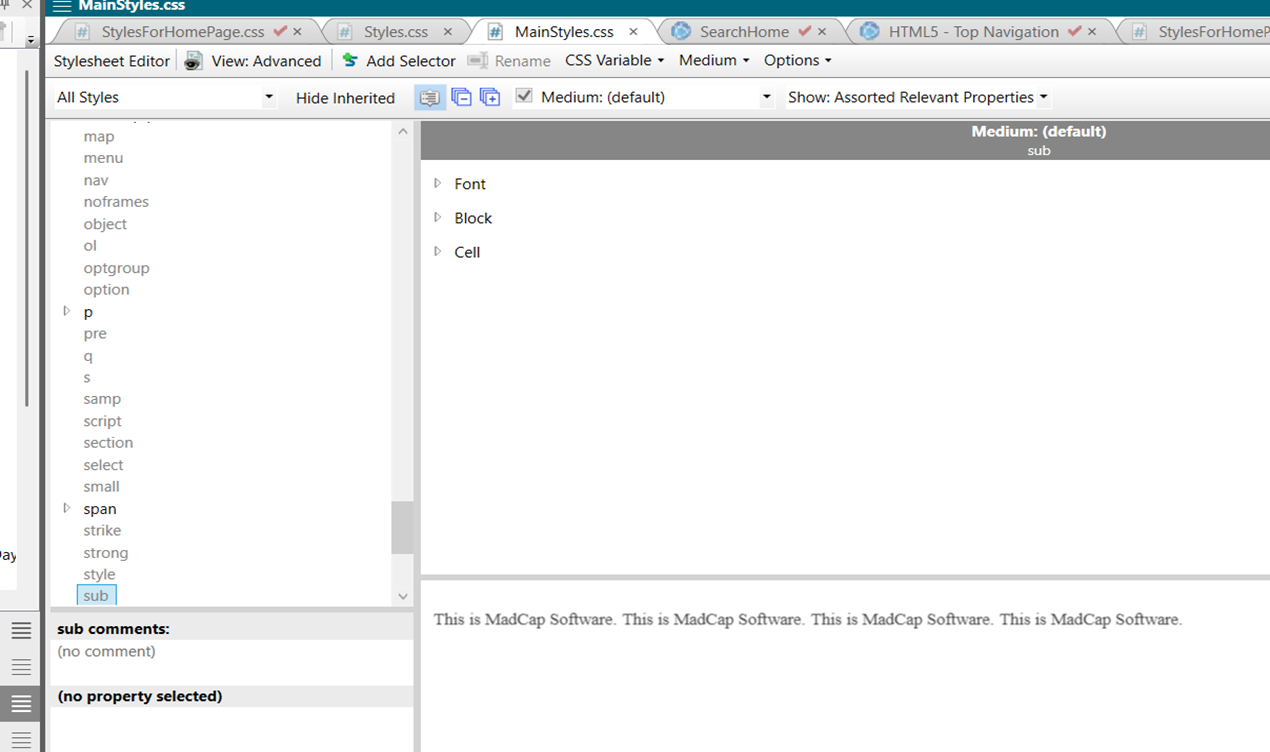
  • Custom MadCap Flare Implementation: Built responsive, custom HTML5 and CSS templates on top of MadCap Flare, overriding default outputs to create a sleek, modern enterprise UI with tailored visual themes (dark navigation bar, custom typography, brand accent colors, and refined page layouts).
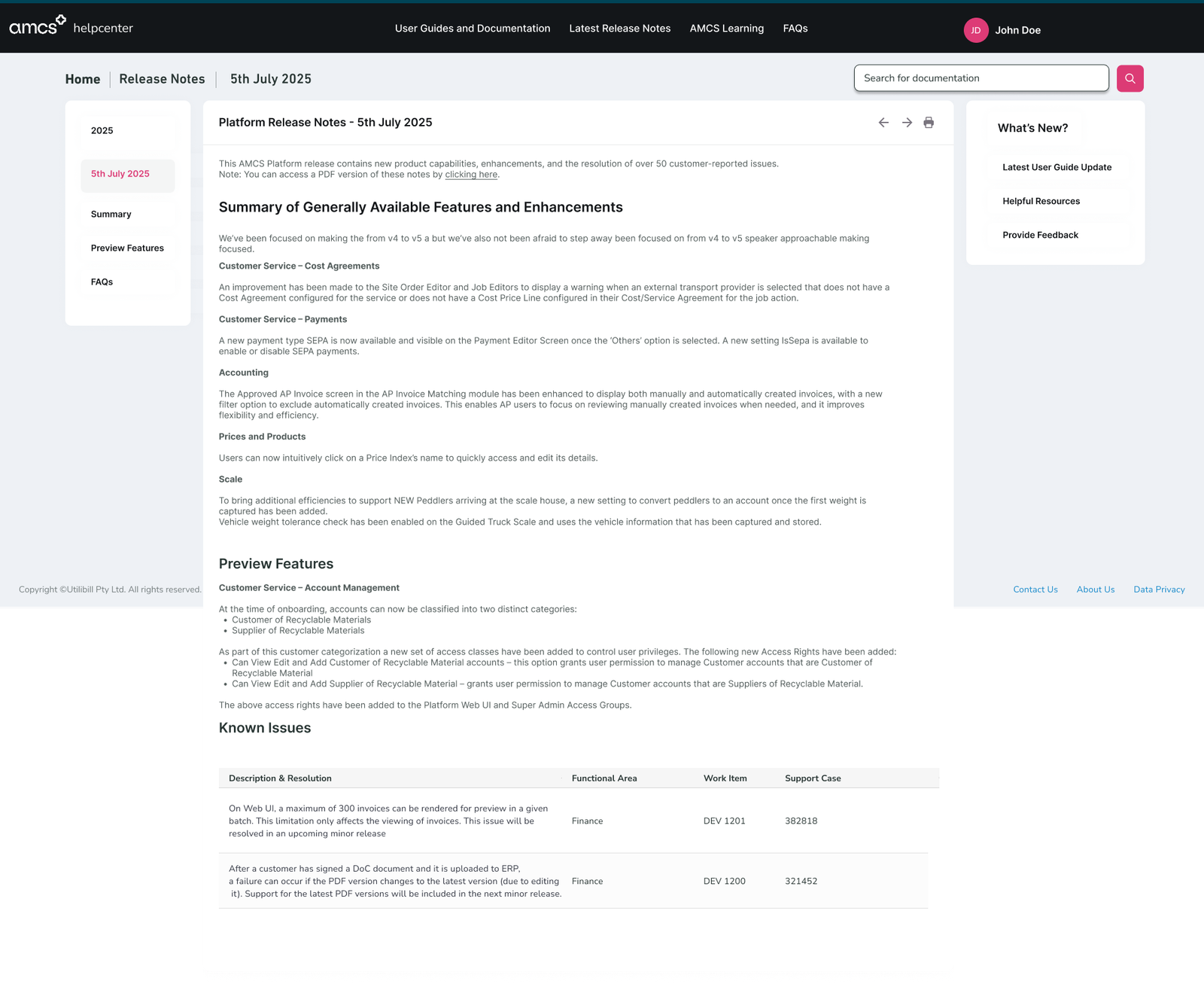
  • Structured 3-Column Content Hierarchy: Designed release note and documentation detail pages using a clean 3-column layout:
    • Left Navigation: Sticky table of contents / sub-navigation (e.g., Summary, Preview Features, Known Issues) for effortless section jumping within lengthy technical articles.
    • Center Content Area: Clean, legible main content displaying release summaries, product changes, and structured tables for known issues (with direct links to work items and support cases).
    • Right Quick-Links Sidebar: A utility panel featuring "What's New?", latest user guide updates, helpful resources, and direct feedback channels.
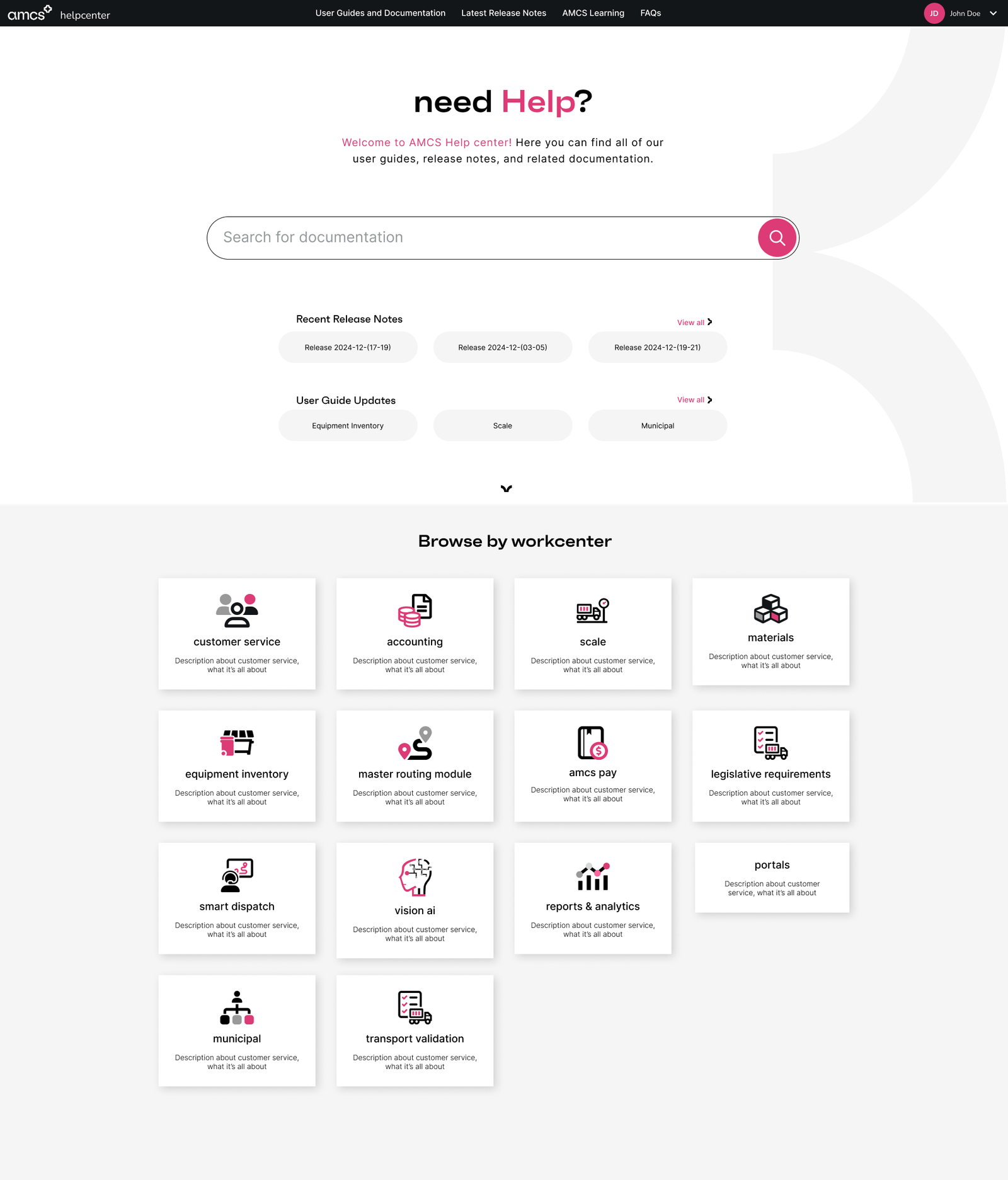
  • Visual Work center Categorization: Reorganized the home page around clear operational workcenter cards (e.g., Customer Service, Accounting, Scale, Smart Dispatch, Vision AI, Portals) paired with custom iconography, giving internal teams immediate visual recognition of core modules.
  • Integrated Universal Navigation: Created a consistent, unified top navbar complete with user authentication indicators, global search integration, and direct pathways to User Guides, Release Notes, AMCS Learning, and FAQs across all pages.
Research
Insights
  • Interactive Home Page Hub: Features a high-visibility hero search bar, quick pills for recent release notes and user guide updates, and an expandable "Browse by work center" section.
  • In-Page Anchor & Table Navigation: Built-in left sidebar TOC for content-heavy pages, allowing internal users to quickly jump between release features, preview items, and issue resolution tables without infinite scrolling.
  • Structured Issue & Work Item Tracking: Clean tabular display of known issues mapped directly to Functional Areas, Work Item IDs (e.g., DEV 1201), and Support Case reference numbers for internal support alignment.
  • Custom MadCap Flare Skin & CSS Architecture: Fully customized CSS stylesheet supporting scalable, reusable component structures (cards, search fields, badges, sidebar widgets) natively compiled through MadCap.
Business & Internal Impact
  • Faster Support & Operations Resolution: Significantly reduced time-to-information for internal support agents and technical staff, allowing them to reference precise build updates and known issues directly during active cases.
  • Reduced Internal Dependency: Enabled self-service discovery for internal teams across 14+ specialized workcenters (from AMCS Pay to Vision AI), minimizing repetitive cross-departmental documentation requests.
  • Streamlined Technical Publishing: Leveraging MadCap Flare with custom HTML/CSS allowed the documentation team to maintain single-source publishing power without sacrificing a polished, modern front-end user experience.
Scope

The scope of this project encompassed the end-to-end user experience, interface design, and front-end technical implementation for the internal AMCS Help Center platform. On the design side, this involved transitioning the home page from a static layout into an interactive hub structured around 14+ core workcenters—such as Customer Service, Accounting, Scale, Smart Dispatch, and Vision AI—supported by custom iconography and high-visibility search features.


It also included architecting a responsive 3-column layout for documentation and release note detail pages, featuring sticky left-hand table of contents, legible center content areas, and sticky right-hand quick-link sidebars.


On the technical side, the project focused on developing custom HTML5 and CSS directly within MadCap Flare to override default skins, establishing a modern UI framework, and building styled data components like tabular displays for tracking known issues and work item IDs.



The project strictly targeted internal employee workflows, excluding customer-facing portals, backend deployment infrastructure, SSO user authentication systems, and the technical writing of the content itself.

Scroll